|
Novint Falcon Sliding Issue
 SteelSeries Engine/TouchWare Desktop/F-Gen/VJoy Stopped Working SteelSeries Engine/TouchWare Desktop/F-Gen/VJoy Stopped Working
Many
haptic devices only allow one application at a time to use background
mode (full access). Since Immersion TouchWare Desktop, TouchSense Studio, NvENT, F-Gen, VJoy and iFeelPixel™ TactileWare must acquire your pointing device in background
mode to function properly, you should quit one before running the
other if you have the following hardware:
1. If
you lose sensations in either Touchware
Desktop, TouchSense Studio, NvENT, F-Gen, VJoy or iFeelPixel™ TactileWare, simply exit applications,
unplug the device, plug it back in and restart the one you wish to
use.
2. If you don't feel tactile alerts with your SteelSeries Rival 500/700 mouse, exit both applications, launch SteelSeries Engine first, it must be running in background before start iFeelPixel. We also recommend you to update to the latest iFeelPixel version (v2.4.7).
Known issue: SSE not responding/crashing when rapidly sending events.
3. If the Gaming mouse has stopped working, unplug the device, plug it back in, then verify that you use the new version of SteelSeries Engine that fixes "USB RESET by the OS" issue.
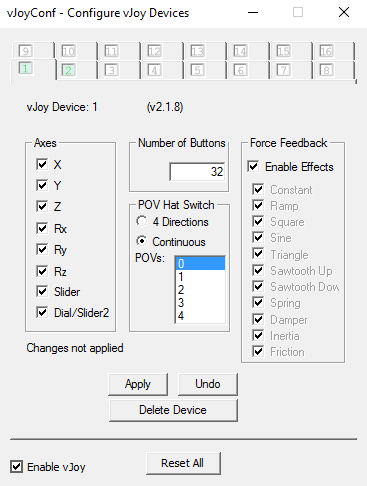
4. If the Haptic Driver version is 0.0.0.0, that's mean you did not check the force feedback when you have installed the VJoy driver, you need to reinstall the VJoy virtual device with force feedack enabled.
Novint Falcon Sliding Issue
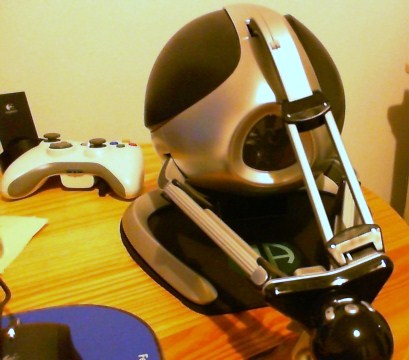
If
your falcon use to slip and slide. We recommend you to get a Falcon Army Anti-Slip Mat:
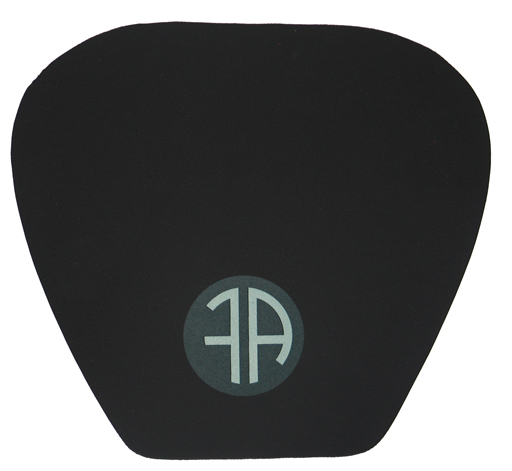
Black neoprene Anti-slip mat with the Falcon Army logo to keep your Falcon rock steady on your desk while playing. Neoprene is 4mm thick with textured backing and printed Falcon Army logo on the top which is visible under your Falcon during use.
|